
Signing up for the National Jobs Portal (NJP Jobs) is simple. However, you must complete your profile 100% before applying for most government jobs. Make sure your documents are ready before you start.
Here is an easy step-by-step guide:
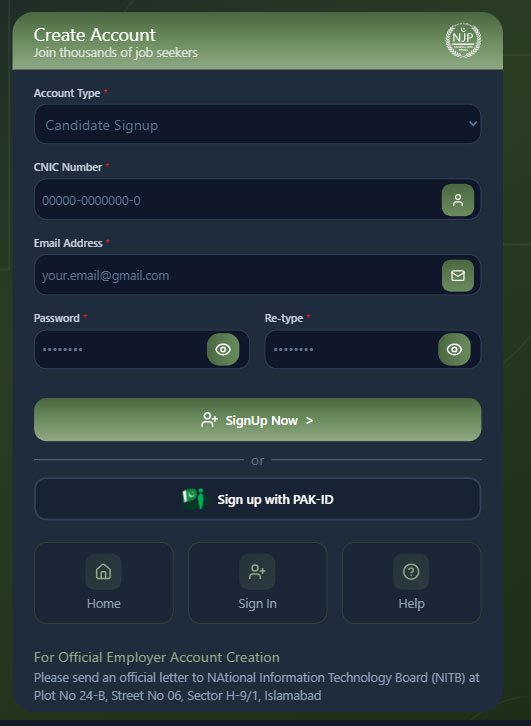
1. Create an Account
- Visit the Website: Go to njp.gov.pk/register.
- Choose Account Type: Click on “Candidate Signup.”
- Enter Basic Information: Add your CNIC number, email address, and create a strong password.
- Another Option: You can also register using PAK-ID if you have a verified NADRA digital ID.
2. Complete Your Profile (Build Your CV)
After logging in, you need to fill in your online CV. The website shows your progress. Try to complete it 100%.
Fill in these sections:
- Personal Information: Your name, father’s name, date of birth, and domicile.
- Address: Your current and permanent address.
- Education: Start with your highest qualification (for example, Intermediate) and then add previous education like Matric.
- Work Experience: Add any job experience or internships.
- Skills and Languages: Write your skills (such as WordPress or SEO) and the languages you know (Urdu, English, Saraiki, etc.).
3. Important Documents
Keep scanned copies (PDF or JPG) of these documents ready:
- CNIC (front and back)
- Latest degree or result card (for example, Intermediate result)
- Domicile certificate
- Passport-size photo (blue or white background)